
Prepare weekly review
10:24Organize this week's wins and next week's priorities
In progressSave memos, clips, screenshots, and bookmarks to Notion with a single shortcut.
macOS only - Visit from your computer
LP improvement requirements
A/B test CTA button copy, check first-view bounce rate
Enter a title and body, save the note, and watch it appear in the database.
Organize this week's wins and next week's priorities
In progressCheck the August statement and share it
Not startedTest the flow and review copy before launch
ReviewingAdd an explanation of the interactive demo
Not startedCheck captions and transition timing
In progressCheck demo starts and save completion
PlannedThis demo runs entirely in your browser. Nothing you enter is sent to Notion or any external service.
Go beyond quick notes with more ways to capture what matters without breaking your flow.
Shortcut to Quick Memo
Select and Save Instantly
Number-key Quick Access
Weekly Review
Search and copy Snippets
Drag & Drop Image Save
Link to local files
Capture Screenshot
Search Notion pages
Press Ctrl+Shift+S on any page. The extension extracts site-specific content, opens the real save panel, and lets you switch the destination database before saving.
Add to ChromeRich content extraction for the sites you use every day.
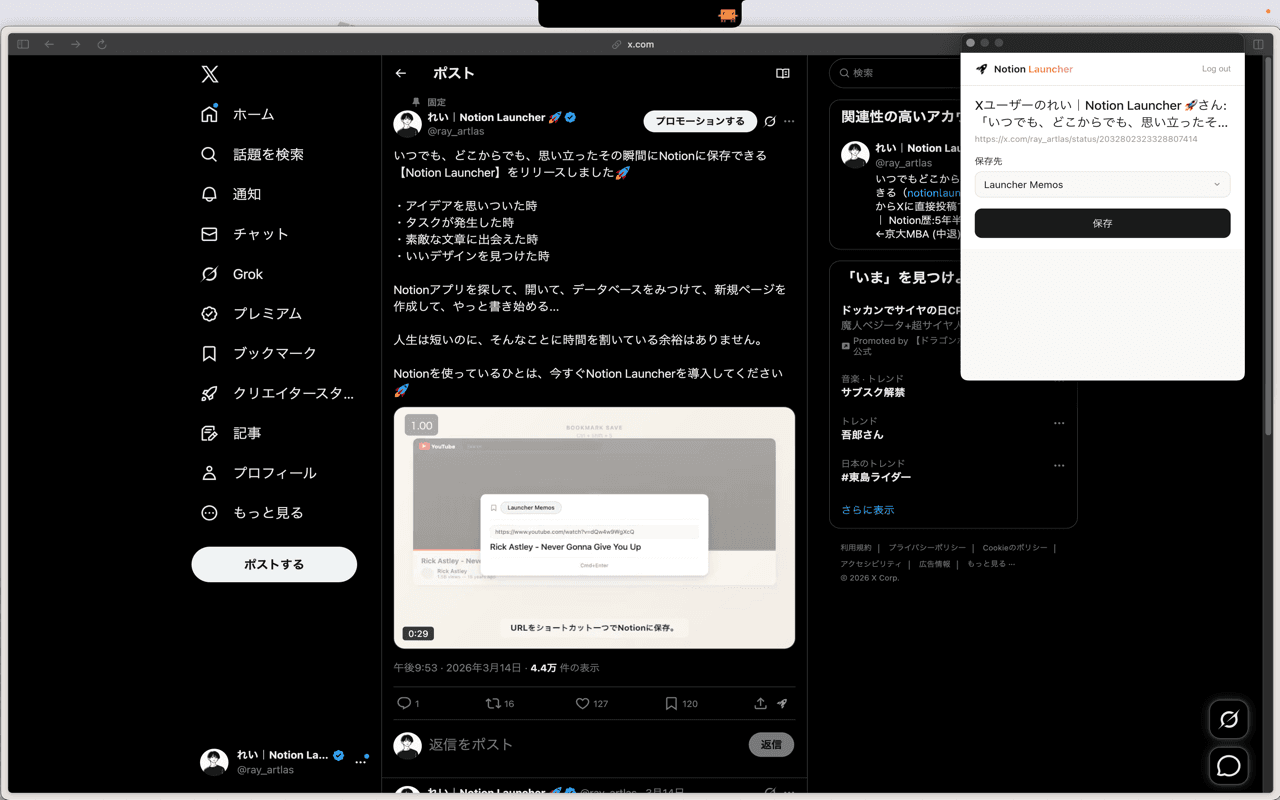
Capture ideas without leaving the page
https://x.com/ray_artlas/status/2032802323328807414
Ideas do not wait for Notion to open. Save them the moment they arrive.Ideasdo not wait
No complicated setup. No learning curve. Just install, connect, and start saving.
Download Notion Launcher and drag it to your Applications folder. Grant accessibility permissions when prompted.
Link your Notion account with one click. We'll set up a dedicated database to store all your captures.
Select text anywhere and press the shortcut. Your highlight is instantly saved to Notion. That's it.
Start for free, upgrade when you need more. No hidden fees, cancel anytime.
For trying out Notion Launcher
For power users
Can't find what you're looking for? Contact us
Yes! Notion Launcher works system-wide on macOS. You can capture text from browsers, PDFs, Slack, VS Code, and any other application where you can select text.
Absolutely. We use Notion's official OAuth authentication, and your access tokens are stored securely in your Mac's Keychain. We never store your Notion content on our servers.
Yes! During setup, you can select your preferred database. You can also change this anytime in the settings. Plus users can save to multiple databases.
Notion Launcher requires an internet connection. It communicates with the Notion API when saving, so it cannot be used offline.
Windows support is currently in development. We are working on it alongside the macOS version.
Yes, you can cancel anytime from your account settings. You'll continue to have access to Pro features until the end of your billing period.